How to whitelist AppSec WAF rules in CrowdSec to avoid false positives?
This is part #2 of a blog post about CrowdSec whitelisting. I realized the fix last described in part #1 might not work with the Application Security Component (AppSec Component). The previous blog post only worked with the classic remediation component. Let's figure out why !
If you have not read part #1, it's here :
 Valentin Vie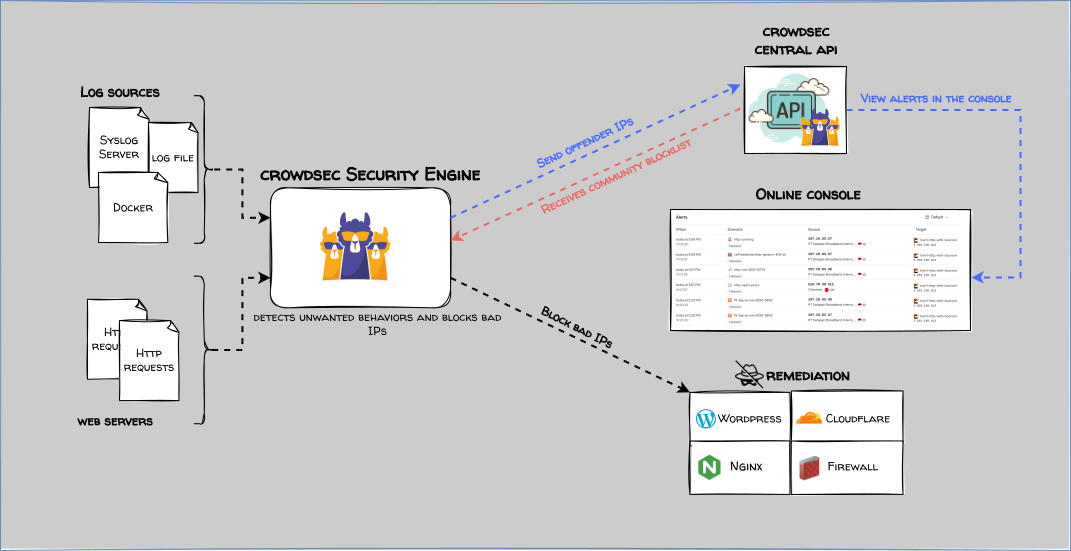
Why doesn't it just work ?
From the Crowdsec documentation we can read the following about how the AppSec Component works:
- The web server receives the HTTP request.
- The request is forwarded to the CrowdSec Security Engine over a local HTTP interface.
- The engine evaluates the request against AppSec rules (in-band rules can block immediately).
- Based on the result, the web server either blocks the request or processes it as usual.
Because inband rules can block immediately my parser whitelists will not be evaluated ! In fact, Crowdsec has two types of rules:
- Inband (blocking) rules: these rules are blocking the evaluation. CrowdSec AppSec Component has to answer before responding to the client. If the request is blocked it is not even parsed. These inband rules allow for what we call virtual patching: patching a vulnerability even if a patch is not deployed. A malicious request cannot reach the vulnerable application because it has been blocked early by the WAF.
- Out-Of-Band rules: evaluated in the background, these are non-blocking rules meaning the application protected by CrowdSec will receive the client's request no matter what. The evaluation is asynchronous. An attacker will be banned on the next request or the next time the bouncer updates. Typically, you will use these rules to detect lots of 403 HTTP requests. Inband rules don't even know HTTP code because the request has been blocked too early.
All documentation is available here : https://docs.crowdsec.net/docs/next/appsec/intro/#inband-rules-and-out-of-band-rules.
Let's take a concrete example...
CrowdSec blocks requests when the client asks for environments files .env. This is a legitimate inband rule but it can interfere with your self-hosted git instance if you want to push or pull .env files from your repository.
Some of you will want to burn me alive for wanting to push .env files in git repos. However, there are no secrets in my .env files, I use Komodo built-in Docker secret management system. Here is an example .env file that can be pushed to my self-hosted git repository:
##############################
#  AUTH COMPOSE - VARIABLES  #
##############################

#=------------------------------=#
#= Authentik Server Environment =#
#=------------------------------=#
AUTHENTIK_POSTGRESQL_USER=authentik
AUTHENTIK_POSTGRESQL_DBNAME=authentik
S_AUTHENTIK_POSTGRESQL_PASSWORD=[[S_AUTHENTIK_POSTGRESQL_PASSWORD]]
S_AUTHENTIK_SECRET_KEY=[[S_AUTHENTIK_SECRET_KEY]]
I told you: no secrets in my .env files !
Going back to the subject at hand : whitelists... No matter the whitelist you will set in your parser whitelist (/etc/crowdsec/parsers/s02-enrich/) it won't work. The request is not even evaluated by the parser.
How do we whitelist something that is not even parsed ?
The Application Security Component lets you hook into different stages to change behavior at runtime. Source.
Hooks run in four phases:
on_load: Called just after the rules have been loaded into the engine.pre_eval: Called after a request has been received but before the rules are evaluated.
My parser whitelist is active here but we need to act earlier to allow a request blocked by an inband rule.
post_eval: Called after the rules have been evaluated.on_match: Called after a successful match of a rule. If multiple rules, this hook will be called only once.
We have to create a whitelist acting at the pre_eval phase to tell CrowdSec "Don't look at the scenario blocking .env files".
The solution
This is described briefly in this documentation section but I had to figure a few things by myself.
Create a YAML file in /etc/crowdsec/appsec-configs/ , let's call it forgejo-appsec-custom.yaml . This is where the whitelist logic is.
name: custom/forgejo-appsec-custom
pre_eval:
 - filter: IsInBand == true && req.URL.Path startsWith "/MyPseudo/" && req.Host startsWith "forgejo.valentinvie.fr"
   apply:
    - RemoveInBandRuleByName("crowdsecurity/vpatch-env-access")
/etc/crowdsec/appsec-configs/forgejo-appsec-custom.yaml
Through this YAML I tell CrowdSec to ignore the virtual patching rule preventing be to access .env files. This whitelist will effectively work only for my git repository forgejo.valentinvie.fr and on my repos (when the path has MyPseudo in it). All other .env file access should still be blocked.
We also need to change AppSec Component configuration to take the whitelist into account. We have to change the configuration in /etc/crowdsec/acquis.d/appsec.yaml. Append your newly created YAML file to the configuration:
appsec_configs:
  - crowdsecurity/appsec-default
  - custom/forgejo-appsec-custom <--- here
labels:
  type: appsec
listen_addr: 0.0.0.0:7422
source: appsec
/etc/crowdsec/acquis.d/appsec.yaml
That's it, CrowdSec will ignore the crowdsecurity/vpatch-env-access rule if the parameters in the URL match.
Hopefully, you should be set. Whether you use the remediation component (previous post) or the AppSec component (this post) you have a way to whitelist your domains !